Copier Paper GSM Guide: 70gsm vs 80gsm and Why It Matters for Jams and Print Quality

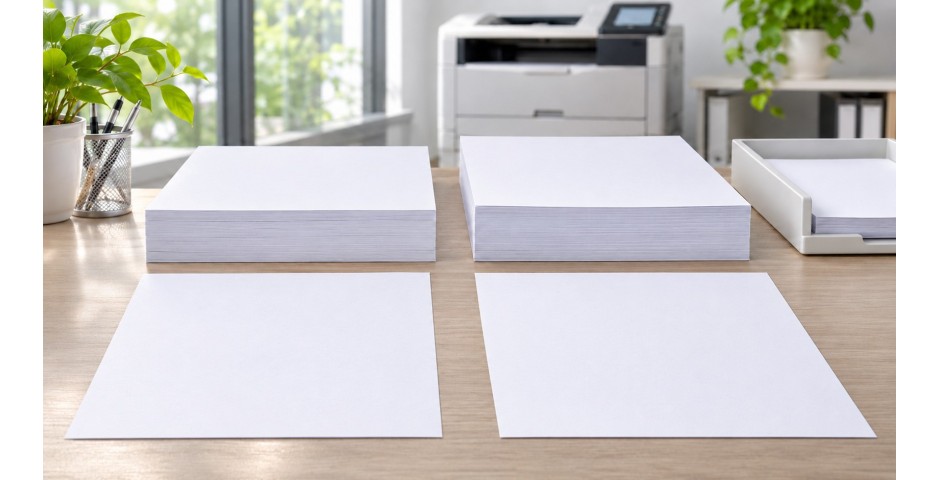
Look at any ream of copier paper and you will see a number followed by "gsm." The most common ones are 70gsm and 80gsm. They look almost the same on the shelf. Many buyers simply pick the cheaper one.
But that small number affects how your prints look, how often your printer jams and how professional your documents feel in a client's hands. This guide explains what GSM means, how 70gsm and 80gsm compare, and how to choose the right one for your office.
GSM stands for grams per square metre. It tells you how much one square metre of that paper weighs. A higher number means the paper is heavier, and in most cases thicker and stiffer too.
Look at any ream of copier paper and you will see a number followed by "gsm." The most common ones are 70gsm and 80gsm. They look almost the same on the shelf. Many buyers simply pick the cheaper one.
But that small number affects how your prints look, how often your printer jams and how professional your documents feel in a client's hands. This guide explains what GSM means, how 70gsm and 80gsm compare, and how to choose the right one for your office.
What Does GSM Mean?
GSM stands for grams per square metre. It tells you how much one square metre of that paper weighs. A higher number means the paper is heavier, and in most cases thicker and stiffer too.
So 80gsm paper has more fibre packed into each sheet than 70gsm paper. The difference is only 10 grams per square metre, but you can feel it as soon as you pick up a sheet.
Here is a rough guide to common weights:
- 70gsm: light, economical everyday paper
- 80gsm: standard office paper, a little firmer
- 100gsm and above: heavier paper for covers, presentations and special prints
- Card paper: much heavier stock for certificates, name cards and invitations
70gsm vs 80gsm: The Key Differences
1. Feel and first impression
80gsm paper feels sturdier in the hand. When you hand a quotation, proposal or contract to a client, that extra firmness quietly says "quality." 70gsm feels thinner and more flexible. That is fine for internal use, but it can feel a bit flimsy for client documents.
2. Show-through and double-sided printing
Opacity is how well paper blocks light. Thinner paper lets more light pass through, so text on the back can show through on the front. This is called show-through or ghosting.
80gsm paper is more opaque than 70gsm. If you print on both sides, 80gsm gives cleaner, easier-to-read pages. With 70gsm, double-sided printing can look busy, especially with dark images or bold text. If you must print double-sided on 70gsm, test one sheet first.
3. Paper jams
Stiffer paper usually feeds more smoothly through a printer. 80gsm holds its shape better as it bends around the rollers. This can mean fewer jams, especially in older or heavily used machines.
That said, weight is not the only cause of jams. Worn rollers, an overfilled tray, poorly cut edges and damp paper all cause problems too. A good quality 70gsm sheet can feed better than a poorly made 80gsm one.
4. Cost and handling
70gsm is usually cheaper per ream. It is also lighter, so cartons are easier to carry and store. For offices that print large volumes of drafts, packing lists or internal forms, the savings can add up.
But think about the full cost. Wasted sheets from jams, reprints and the time staff spend fixing the printer all cost money too. Sometimes the slightly more expensive paper is the cheaper choice overall.
Why Humidity Matters in Malaysia
Paper soaks up moisture from the air. In a hot and humid country like Malaysia, this is a real issue. When paper absorbs moisture, it becomes limp, the edges curl and sheets may stick together. All of this leads to more paper jams.
Lighter 70gsm paper loses its stiffness faster in humid air than 80gsm paper does. If your storeroom is not air-conditioned, 80gsm will usually behave better.
Whatever weight you choose, store it well:
- Keep reams in their original wrapper until you need them. The wrapper helps keep moisture out.
- Store cartons off the floor, on a shelf or pallet.
- Keep paper away from windows, wet walls and air-conditioner drip points.
- Don't leave paper sitting in the printer tray over a long weekend. Put it back in the wrapper.
- Fan the stack before loading it, so the sheets separate cleanly.
Which One Should You Choose?
| Choose 70gsm if... | Choose 80gsm if... |
|---|---|
| You print mostly drafts and internal documents | You print documents for clients |
| You print mainly on one side | You print double-sided often |
| Your printers are modern and well maintained | Your printers are older or work very hard |
| Your paper is stored in an air-conditioned room | Your storeroom is warm or humid |
| Keeping cost low is the top priority | Fewer jams and a premium feel matter more |
Many offices use both. They keep 70gsm in the printer for daily internal work and a few reams of 80gsm for proposals, contracts and anything that goes outside the company.
What About Heavier Paper?
For special jobs, go heavier. Covers for reports, brochures and certificates look better on thicker stock. But check your printer first. The main paper tray is usually designed for everyday weights like 70gsm and 80gsm. Very heavy paper often needs to go through the manual feed slot, where the paper path is straighter.
Also check your printer settings. Most printers let you choose "plain," "heavy" or "card" paper. Picking the right option helps the toner fuse properly and reduces smudging.
A Quick Checklist Before You Buy
- What will you print most: drafts or client documents?
- Do you print on one side or both?
- How old is your printer, and how much does it print each day?
- Where will the paper be stored?
- What paper size do you need: A4, A3, F4 or something else?
Answer these five questions and the right GSM usually becomes obvious.
Find the Right Copier Paper at paper.com.my
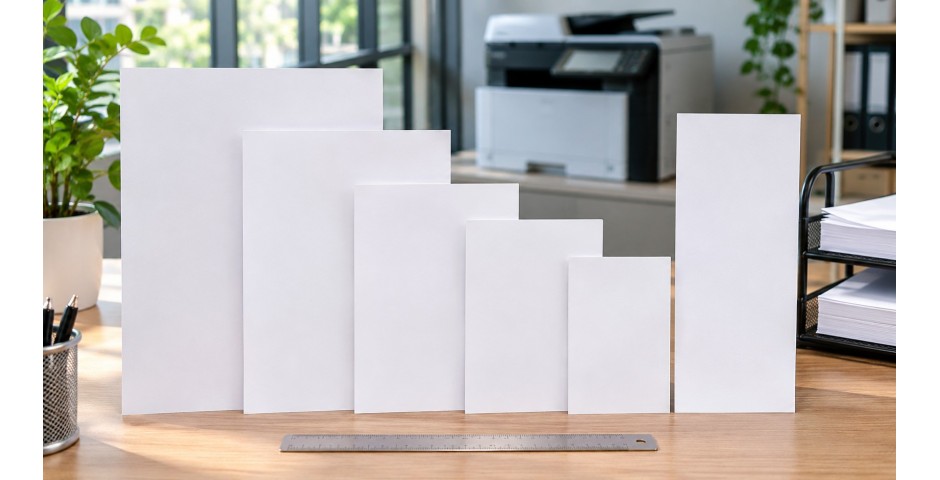
At paper.com.my, we supply copier paper in a range of sizes, including A3, A4, A5, B4, B5 and F4. We also carry colour paper, card paper and specialty paper for presentations and certificates.
Not sure whether 70gsm or 80gsm suits your office? Send us a quote request with your printer model and how much you print each month. Our team will recommend a paper that keeps your printer running smoothly and your documents looking sharp.
In Same Category
- Continuous Computer Forms: 9.5" x 11" vs 15" x 11", and When You Still Need Them
- Thermal vs Carbonless (NCR) vs Fax Paper Rolls: A Buyer's Guide for Malaysian Businesses
- Paper Sizes Explained: A4, A3, A5, B4, B5 and F4. Which One Does Your Office Actually Need?
- Pizza Kotak Guide: Choosing the Right Pizza Box Size, Material and Print for Your F&B Business
- The Complete Packaging Supplies Checklist for Malaysian Online Sellers